See what your client did
Who can do this
Anyone who can open the project. Answering needs a role that can write in the project's conversation. Every plan.
Find what a client you invited has written or added to a project, and answer it where your team already works.
- Open Projects and choose the project. Result: the project opens.
- Select the Review tab. Result: the tab lists the reviewers, and the conversations under From your client.
-
Under From your client, find the conversation. Result: each one names the reviewer and carries the tag Client ·
, with their organisation's name. 

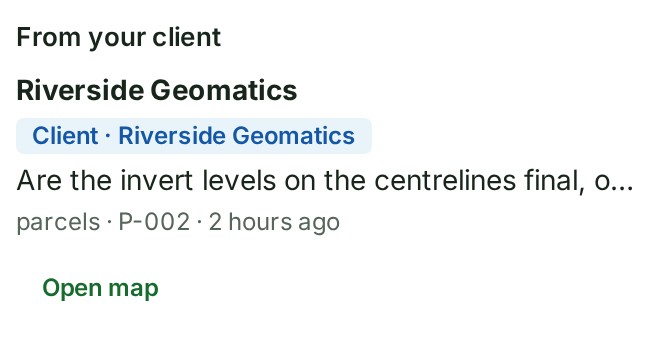

-
Open the conversation. === "Comment on the review as a whole" Select Open in the conversation. === "Comment on a file or a feature" Select Open map.
Result: the conversation opens.
-
Write your answer in that conversation, as you would answer a colleague. Result: your client reads your answer on their review page.
What happens next
A file your client added is in the project's Files list, marked From
Who is told, what your client's work costs, what is recorded, and how their files are checked are on How a client's review works.
If something goes wrong
- There is no From your client list: nobody you invited has written yet, or no client is reviewing this project. The Review tab then says No client is reviewing this project.
- You cannot write an answer: your role reads the conversation but does not take part in it. Ask a colleague who works on the project.
Next: Publish a release