Send a file with the release
Who can do this
Whoever publishes, and the person who added the file if they may add files to the project. Every plan.
A kept photo, PDF, video or archive stays with the project unless you choose to put it in the next release.
- Open Projects and choose the project. You can change the choice only while the project is in Draft or Review.
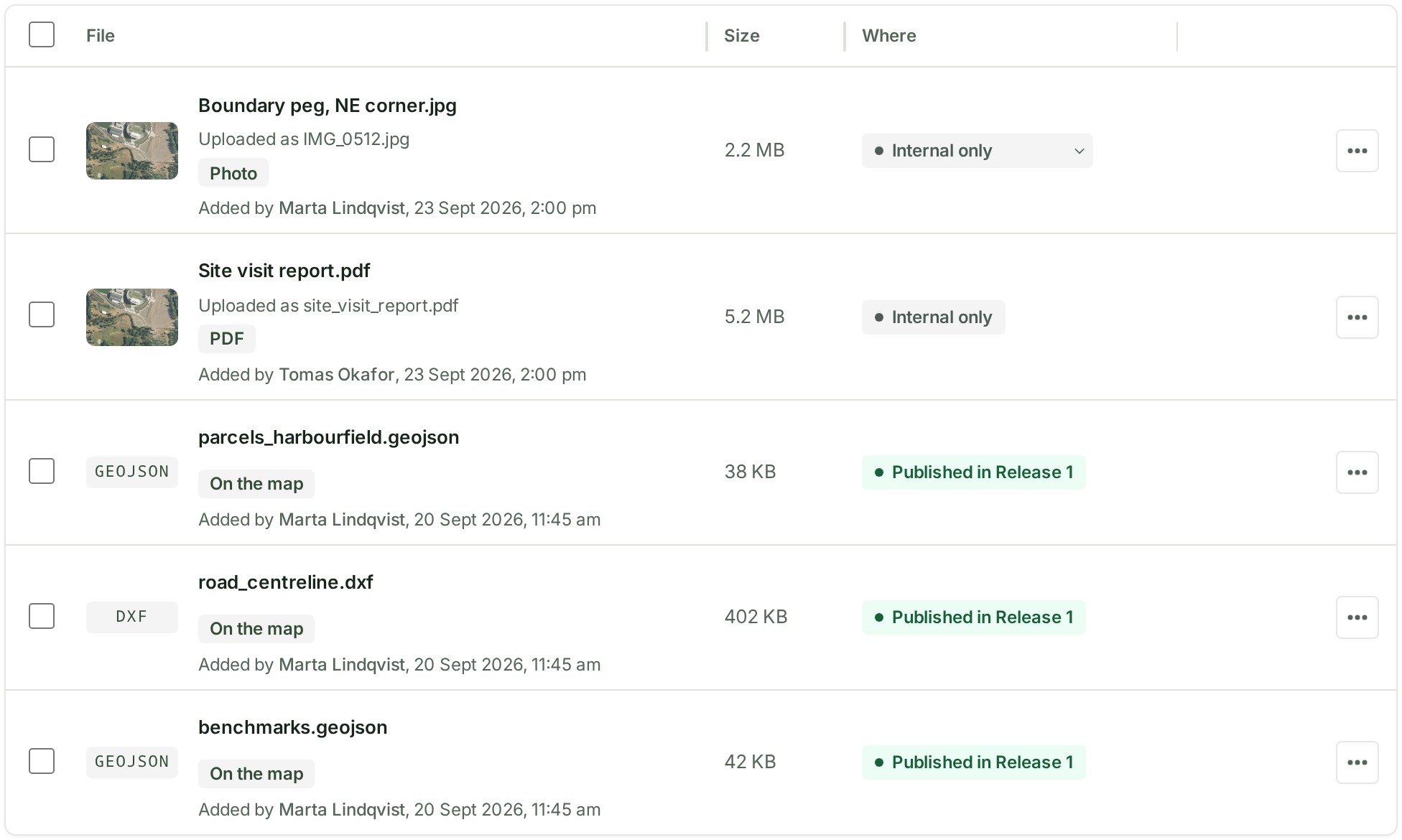
- In Files, find the kept file. Its Where column reads Internal only with a small arrow.
-
Select Internal only on its row and choose Send with the release. To take the file out again, choose Internal only.
What happens next
The file goes out with the release once the malware check has cleared it. The row's Where column shows your choice.
If something goes wrong
- The row shows a plain Internal only chip with no arrow. You neither publish nor added this file, or the project is not in Draft or Review. Ask whoever publishes.
- The project is not in Draft or Review. Start a new draft first. Start a new draft, then choose again.
- The release is being published. Try again when it has finished. Wait for the publication, then choose again.
- The file could not be changed. Try again. Choose again in a moment.
Next: Filter files by kind