Tell everyone with @All
Who can do this
In a project, the owner, administrators, the branch's manager and the project's lead. In a group, the owners and administrators in it.
The All row in the mention list tells everyone in a project's conversation, or everyone in a private group, with one note or message.
-
Start a new note in the box at the foot of the project's Project notes, or a new message in the group's own box.
The box is open. All works only in a new note or message, not in a thread reply.
-
Type
@at the start of the box.The mention list opens.
-
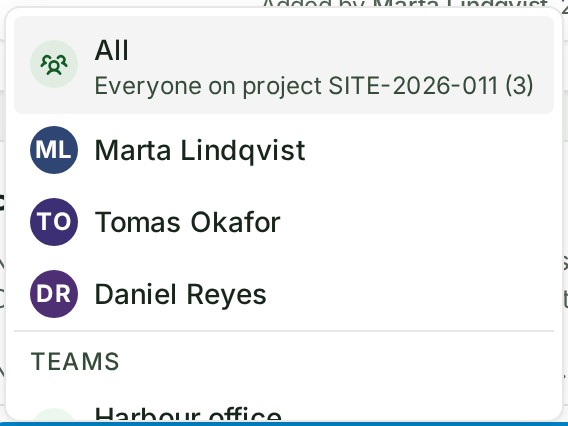
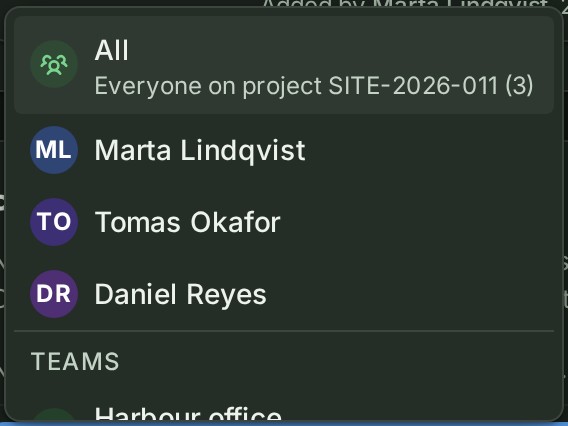
Select All, the first row in the list.
It says who that is, for example Everyone on project SITE-2026-011 (12), and becomes an @All chip in the box.
-
Write what everyone needs to know.
The words are in the box.
-
Select Send.
Each person included, apart from you, gets one notice in the bell.
What happens next
The bell says, for example, Marta Lindqvist mentioned @All in SITE-2026-011 in a project, or Marta Lindqvist mentioned you in Harbour site team. in a group. No email is sent for @All.
A person you also named in the same note, or whose team you named, is told once: by name first, then as part of the team (see Mention a colleague), then by @All. You are never told by your own @All, so if you are the only person it includes, nobody is told, and nothing is wrong.
Keep @All for news the whole team needs, so that it is still noticed.
Check who it reaches
-
Select an @All chip, in a sent note or in the box while you write. From the keyboard, put the cursor beside the chip in the box and press Alt + Enter.
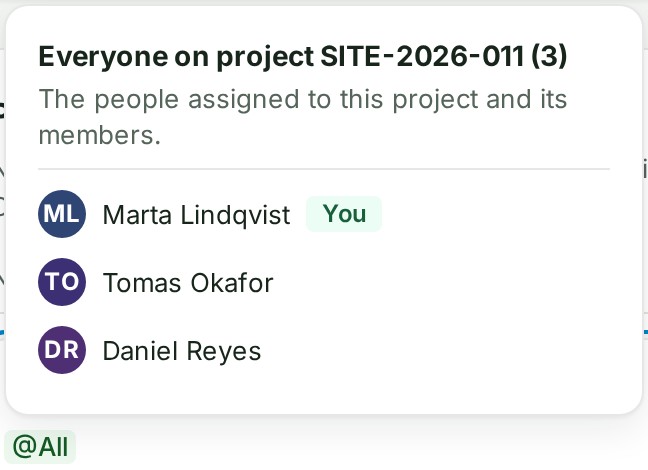
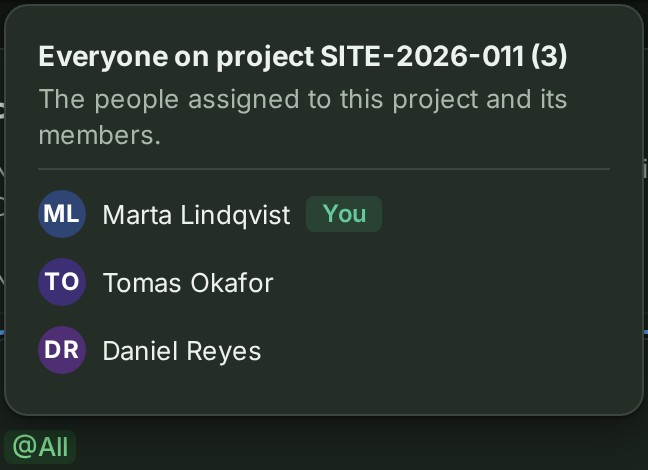
A card opens with a heading such as Everyone on project SITE-2026-011 (12), a line saying why it is those people, and their names.
-
Select a name to see who that person is, or press Esc to put the card away. On a phone the card rises from the bottom of the screen; select Close.
Nothing is sent or changed: the card shows who @All would tell now, not who was told when the note was sent.
The line under the heading says why it is those people. Each place, who is included and its line: Conversation reference.
If something goes wrong
- Only project leads, branch managers and Admins can notify everyone in a project with @All. Name the people you need instead. Your role cannot use All in a project. The list does not offer it; typing
@allshows it with this reason. Name the people one by one. - Only Owners and Admins can notify everyone in a group with @All. Name the people you need instead. The same, in a group.
- @All can only be used in the first message of a thread. Mention the people you need by name in this reply. All works only in a new note, not in a comment or when you edit a note.
- @All can only be used in a new message to the group. Mention the people you need by name in this reply. The same, in a group's thread.
- @All is already in this message. A message holds one @All.
- Your organisation has told everyone in a project … times in the last day. Name the people who need to know, or try again tomorrow. Your organisation has reached its daily limit for projects. The count runs over the last 24 hours.
- Only people who can take part in this conversation can see who it includes. You can read this conversation but not write in it, so the card does not open.
- The list could not be loaded. Close this and try again. The connection dropped.