Delete a file
Who can do this
Anyone who may add files to the project (Owners, Admins, branch managers and members, project leads and contributors). Every plan.
Delete a file that was added by mistake or is no longer needed; a release it was already published in stays exactly as you delivered it.
- Open Projects and choose the project, or open Uploads.
- Open the ⋯ menu on the file's row and select Delete…. The Delete panel opens.
-
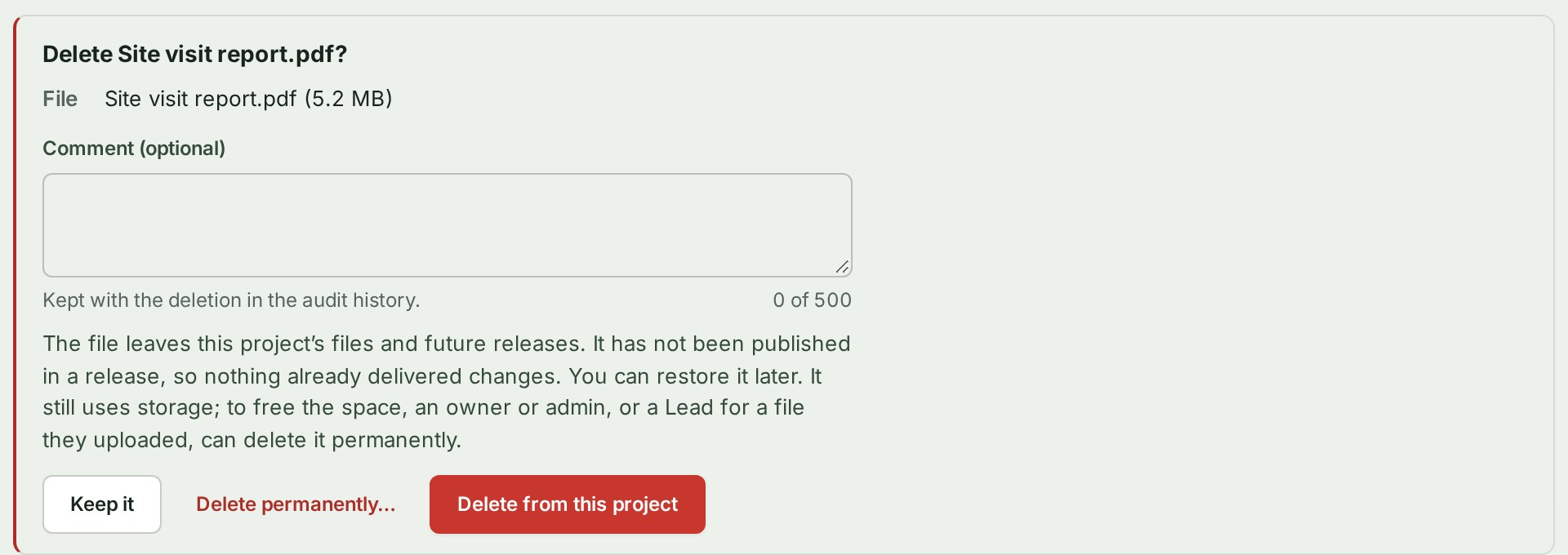
If you like, write why under Comment (optional), for example "Uploaded to the wrong project". It is kept with the deletion in the audit trail.
-
Select Delete from this project.
Delete several files at once
- Tick the boxes of the files.
- In the bar that appears, select Delete from this project. A confirmation lists the files you ticked.
- Select Delete from this project in the confirmation. Each file is deleted as above.
What happens next
GISweaver says … was deleted from this project. The file leaves the list and its counts, and waits under Show 3 deleted files under the list, where it reads Deleted. Your client keeps full access to any release the file was already published in, and that release's record says the file was deleted from the project and on which day.
If something goes wrong
- Delete… is not in the menu. The file is still on its way: being sent, checked or processed. Wait, or cancel the upload. A transfer that stopped part-way (Nothing has arrived for a while) or ran out of time can be deleted.
- … deleted. … could not be deleted: … Some of the files you ticked were deleted and the ones named were not; open each of those to see why.
- You deleted the wrong file. Restore it from Show 3 deleted files, unless it was deleted permanently: see Restore a deleted file. A file deleted permanently cannot be brought back: add it again.
More
- What deleting from the project keeps, and what happens to threads and attachments: The Files list. To remove the stored copy too, see Delete a file permanently.
- Other words are in the glossary.
Next: Restore a deleted file