Ask a colleague for something
Who can do this
Anyone in your organisation who can write in the project's conversation Every plan.
To ask a colleague for something, such as a missing file, a check on site or an answer, mention them in the project's conversation and say what you need.
-
Open the project's Project notes (see Write in a project's conversation).
The notes and the box under them show.
-
Write what you need and by when, and type
@and their name where it belongs in the sentence, for example @Daniel Reyes, please send the traverse sheets by Friday.The list of colleagues narrows as you type.
-
Select them from the list.
Their name becomes a chip in the box.
-
Select Send.
Your colleague is told in the bell, for example Marta Lindqvist mentioned you in SITE-2026-011, and by email. Either opens your note. They answer in the thread under it: see Reply in a thread.
Mark it settled
-
When they have answered, open the thread.
The thread opens.
-
Select the ⋮ button in its head (Thread options).
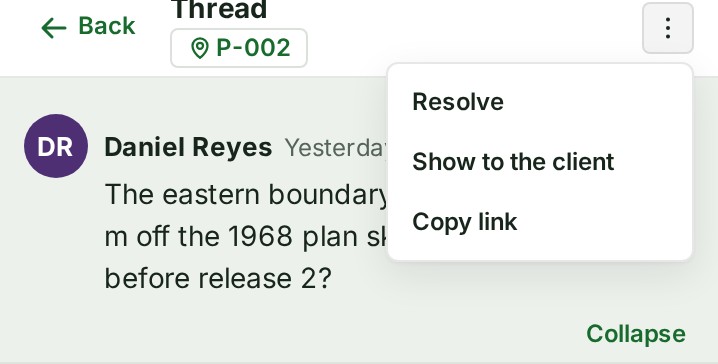
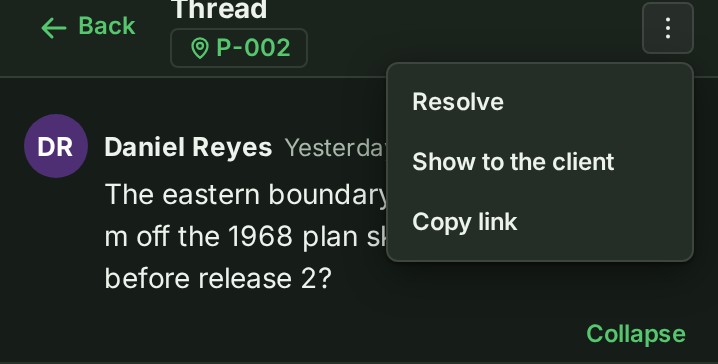
The menu opens, with Resolve.
-
Select Resolve.
The thread shows Resolved and who resolved it, and the screen says Discussion resolved.
-
If it turns out not to be settled, open the same menu and select Reopen.
The thread is open again.
Anyone who can write in the conversation can resolve or reopen a thread. In the map's Conversation panel, choose Open or Resolved to see the threads still waiting or the ones settled.
If something goes wrong
- Somebody you mentioned cannot take part in this conversation. Remove the mention and try again. The person cannot write in this project's conversation, so they could not answer. Give them access to the project first, or ask someone who has it.
- Nobody on this project is called that. The list offers only the people who can write in this conversation.