Follow your notifications
The bell in the top bar collects the news meant for you: a colleague who mentioned you, a reply in a thread you take part in, a direct message, and news about deliveries, shares and invitations. It never shows the words of a message, only who and where.
- Select the bell at the top of the screen. Its badge counts the notices you have not read, up to 9+, including any waiting in your other organisations if you belong to more than one.
-
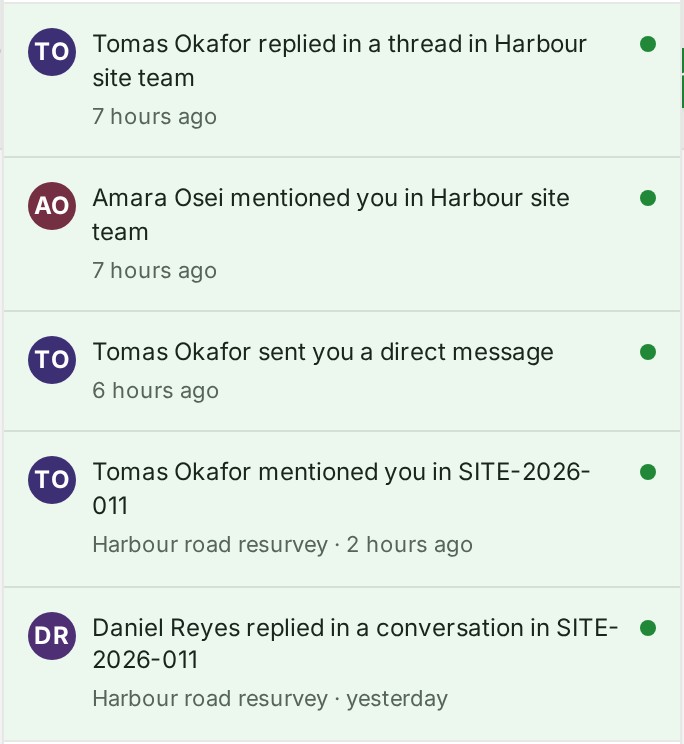
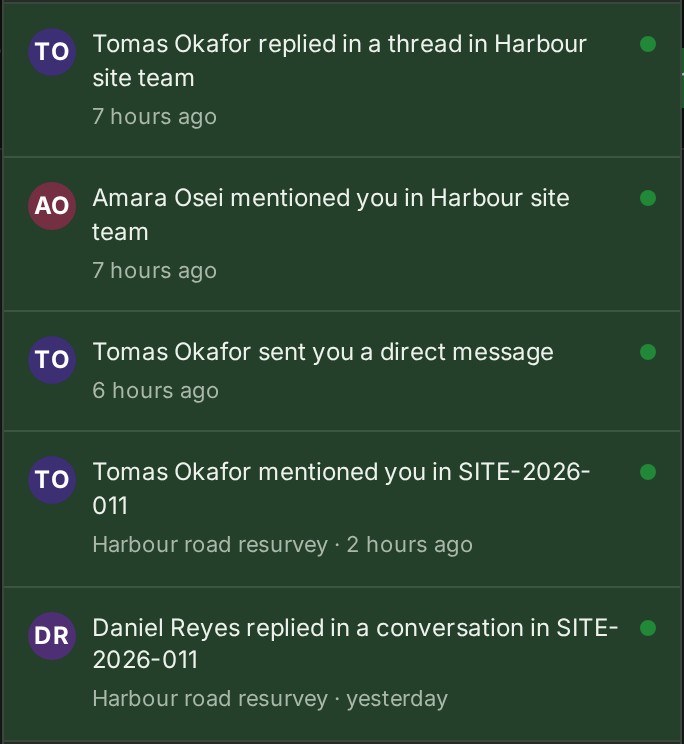
Read the list. Each row says who did what, where and when, for example Marta Lindqvist mentioned you in SITE-2026-011. A row you have not read carries a dot.
-
Select a row to go straight to the message, thread or page it is about.
- Select Mark all as read to clear the count.
- At the foot of the panel, select Notification settings to choose which notices reach you (see Choose which notifications reach you), or See all on Home to open Home, where what is waiting for you is listed.
What happens next
The row you opened is marked read, and you land where the notice points:
- A conversation on a project: the project, with that thread open.
- A thread on a file: the project's Files, with that file's Threads beside it.
- A thread on a map object: the map, with that thread in its Conversation panel.
- A notice from Messages: the conversation, or the thread with the first reply you have not read marked.
If something goes wrong
- Your notifications could not be loaded. The connection dropped. Select Try again.
- No notifications yet. Mentions, replies, messages and news about your deliveries and shares will appear here. Nothing is waiting for you.
What rings the bell
| Where | What rings the bell | Row reads, for example |
|---|---|---|
| In a project | A mention. A reply in a thread you take part in. An @All. | Marta Lindqvist mentioned you in SITE-2026-011; Tomas Okafor replied in a conversation in SITE-2026-011; Marta Lindqvist mentioned @All in SITE-2026-011 |
| In a direct conversation | A message in the conversation. Separately, a reply in one of its threads. | Marta Lindqvist sent you a direct message.; Marta Lindqvist replied in a thread. |
| In a private group | A reply in a thread you follow, once for each thread however many replies it gets. A mention or an @All. | Tomas Okafor replied in a thread in Harbour site team.; Marta Lindqvist mentioned you in Harbour site team. |
| Being put in or taken out of a group | Being put in opens the group, and reading its messages marks the notice read. Being taken out opens Messages, since the group is no longer yours to read. The person who adds or removes is never told. | Tomas Okafor added you to Plan sheets review.; Tomas Okafor removed you from Millgate handover. |
| Sharing, for a client's reviewer | A review opened for you, or ended. A colleague's earlier comment that the client can now read; it opens the conversation. | Harbourline Geo Surveys opened a review for you; Marta Lindqvist made a conversation visible to the client. Your earlier comments in it are now visible too. |
| Sharing, for Owners and Admins | A client's comment on a project you gave them access to, once for each remark; it opens the conversation. A delivery link that lost its original files because the person who made it lost authority. | Brightwater Infra Developers commented on a project you shared with them |
- A new message in a direct conversation always rings, whether or not a thread in the same conversation has replies you have not read.
- Other messages in a private group do not ring the bell; they count beside Messages in the navigation.
- Review and link notices are never switched off.
What reaches you by email, and whether each kind rings the bell at all, is set by your organisation and by you: see Choose which notifications reach you. An email never carries the words of a message, only who, where and a link. Kinds sent in the hourly summary arrive as one email an hour, and a notice about something you can no longer open is left out of it.
When something arrives
When a new notice reaches you while GISweaver is open, the bell gives a short ring and then rests with its count. Messages in the navigation rings the same way for a new message. A soft sound plays with the ring. A notice arriving in one of your other organisations rings the bell too.


- The bell rings once for a burst of notices, however many arrive together.
- Nothing rings when you open or refresh the page, when you switch organisation, or for something you did yourself.
- If your device asks for reduced motion, the bell does not swing; its badge pulses instead.
- If the tab is in the background, you hear the sound when the notice arrives, and the bell rings once when you come back to the tab, for everything that arrived meanwhile.
- The sound is on until you turn it off in Preferences, on the My notifications tab.
- Your browser plays sound only after you have used the page, so the first notice in a tab you have not touched may be silent.
- There is no sound for a message that arrives in the conversation or thread you are reading, with the tab in front of you; the bell still rings. A message in any other conversation, or any message while the tab is in the background or another window has your keyboard, still sounds.
Details
-
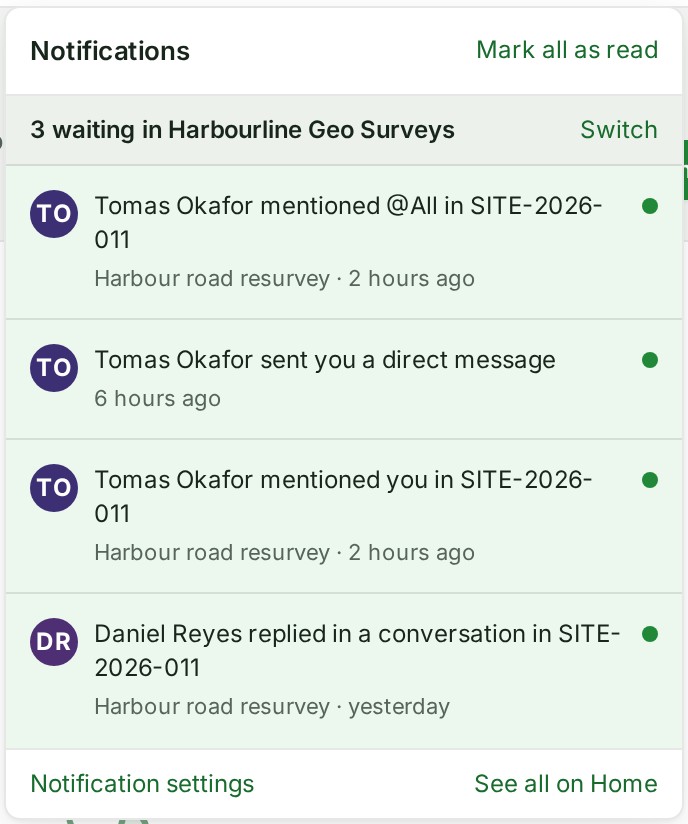
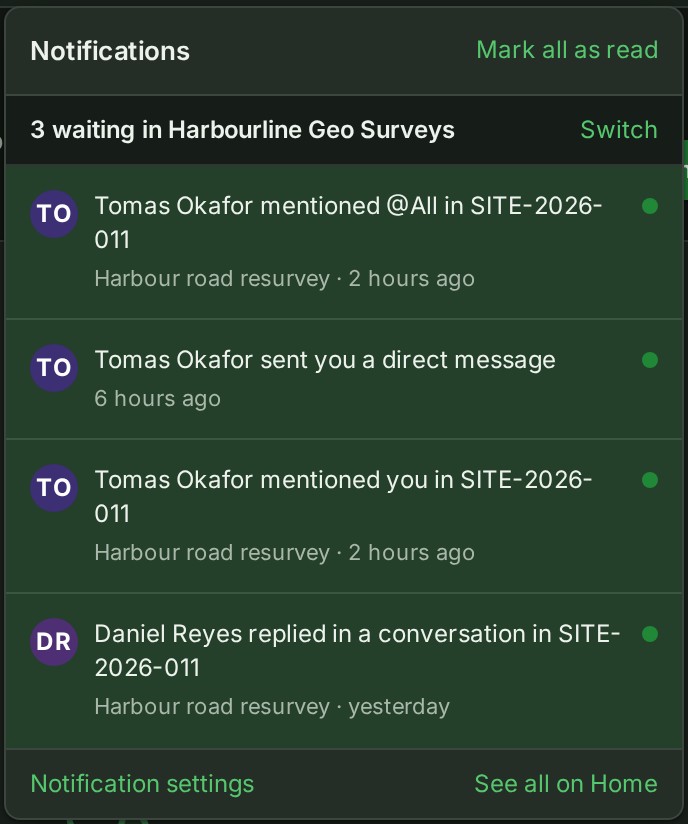
If you belong to more than one organisation, the list starts with a line for each of your other organisations where notices are waiting, for example 3 waiting in Harbourline Geo Surveys. Select Switch to go to that organisation and read them there. Mark all as read clears only the organisation you are in.
-
Show earlier, at the foot of the list, reads older notices.
- Opening a thread to its last reply clears that thread's notice and nothing else. Reading a direct conversation to its newest message clears the conversation's notice and leaves its threads' notices. Opening a message clears its mention.
- The number beside Messages in the Console's navigation counts the messages you have not read in your conversations and in the threads you follow.
The product words on this page are explained in the glossary.
Next: Send a direct message