Lend a role
Lend one of your roles to a colleague until a day you choose, at most 90 days ahead, for example while you are on leave.
- Open People and clients under Organisation, then select the People tab.
-
Open More at the top of the page, then select Lend a role. The Lend a role form opens under Lent roles, with the cursor in Lend to.
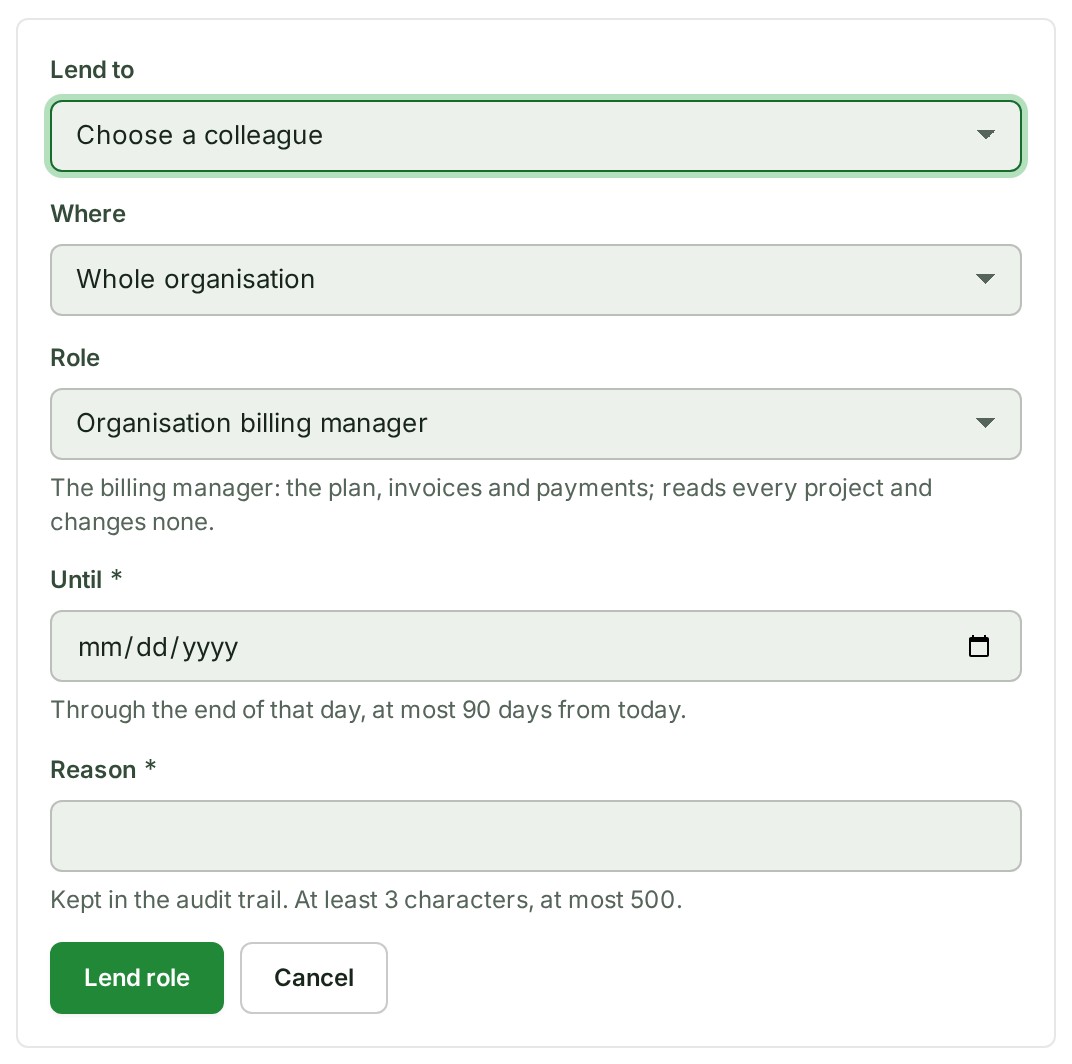
 3. In Lend to, choose the colleague.
4. In Where, choose Whole organisation, One branch or One project, then choose the branch or project.
5. In Role, choose the role to lend.
6. In Until, choose the last day of the loan.
7. In Reason, say why, in 3 to 500 characters. The audit trail keeps it.
8. Select Lend role.
A notice says the colleague now holds your role, and the loan appears under Lent roles.
What happens next
The colleague holds the role until the last day. To end it sooner, select Withdraw on its row under Lent roles, then Withdraw lent role. Choose Keep lent role to back out.
A lent role also stops if you lose what you lent, or if either of you is removed. While either of you is suspended, it is paused.
If something goes wrong
- That role cannot be lent. Across the organisation you can lend Billing manager or Auditor. On a branch or project you can lend any of its roles. Only the Owner can make someone an Admin, from People.
- A lent role can last at most 90 days. Choose an earlier last day.
- There is no Lend a role under More. Your role or your plan does not allow lending.