Delete and restore release files
Who can do this
The organisation's Owner. An Owner or Admin can restore. Every plan.
Remove a release's files from storage when nobody needs them, and restore them from the trash before the erasure date.
Before you start: only the Owner can remove files, and only from a published release that still has files.
- Open Projects and choose the project. Result: the project opens.
- Select the Releases tab. Result: the releases are listed, newest first.
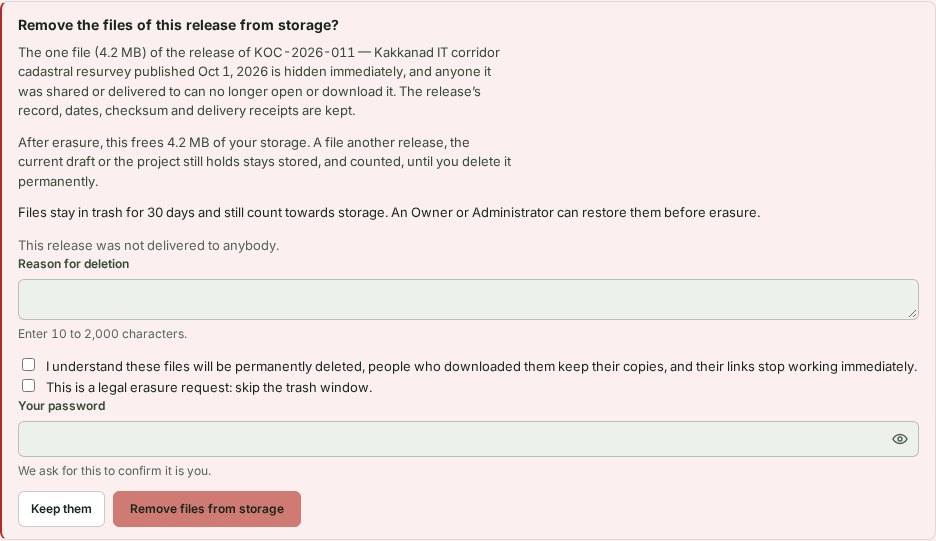
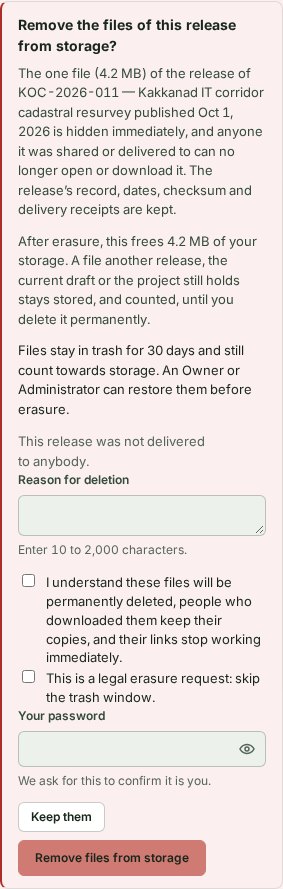
- Select Remove files from storage… in the Downloads column of the release. Result: a form shows the file size, the estimated storage saving and the delivery status.
- Enter a Reason for deletion, from 10 to 2,000 characters. Result: the reason is in the form.
- Tick the acknowledgement about permanent deletion, downloaded copies and stopped links. Result: the form is ready for your password or code.
- Type Your password or Your authenticator code. Result: Remove files from storage can be selected.
- Select Remove files from storage. Result: the files go to the trash and their links stop at once.
What happens next
The files stay in the trash for the period shown, normally 30 days, and still count towards storage. The release record, dates, checksum and delivery receipts stay. People who already downloaded or copied the files keep those copies.
For the legal erasure option and what the activity trail records, see Review and publishing reference.
Restore the files
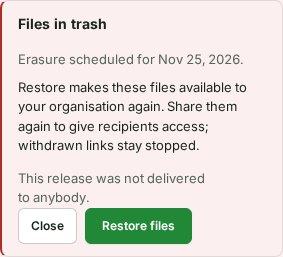
- On the release row, select View trash and restore…. Result: the page reads Erasure scheduled for date.
- Select Restore files before that date. Result: the files are available to the organisation again. Links and recipient access stay stopped, so share again if needed.

If something goes wrong
- Restoring is refused after the window ends, even if erasure is still waiting to finish.
- Deletion is refused while a delivery is open, while an ended delivery still needs its notice, or while a recipient's copy is in progress. Wait for that to clear.
Next: Find an earlier release